The download Links apparently have become corrupted so I had to put them Down and uploeaded directly to DA. Youtube apparently now is being bitchier about channel BG's, so it is important that you save the file to a reasonable size to upload as a background.
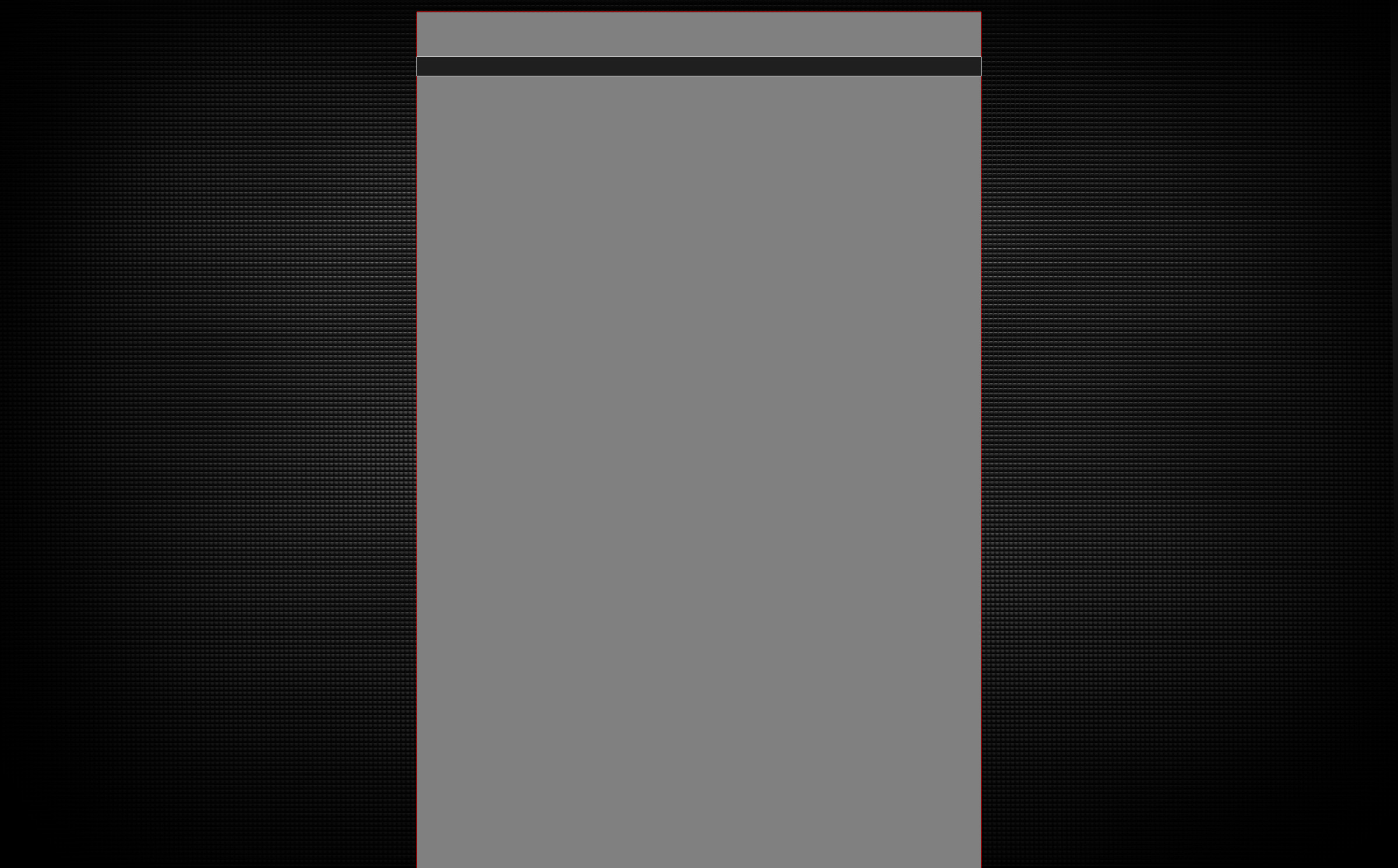
THE TEMPLATE JPEG IS MERELY ILLUSTRATIVE, It's supposed to be used as a reference on the PSD file, so you can edit it to your liking. IF YOU HAVE NO PHOTO EDITING SOFTWARE KNOWLEDGE, I recommend you use a Ready-to-use Design easily found here on DA on many groups. Even so I included some jpegs from moderate to low quality for direct uploading.
Still, if you're a rookie on Youtube BG uploading, there are some simple instructions you can follow:
- After downloading and opening the files in Photoshop, what you see there is the template, the red outline marks the boundaries of the active channel area, both on the simple and partner banner reserved, anything done OUTSIDE of it WILL APPEAR on your channel background, don't worry, the outline is pinpoint precise...
- The "Main Tab" layer indicates your channel tab, directly below your main stats and avatar, edit it to your liking as well, respecting the boundaries, even though little can be done here...
- After editing it to your liking, SAVE THE FILE TO A JPEG, AND IF NECESSARY, MOVE THE QUALITY SLIDER UNTIL IT REMAINS BELOW 750 Kbytes, with the standard baseline scan method, so it will load all pixel information more rapidly. Anything above this size limit will either take too long to load or won't be uploaded at all. The background is merely decorative, not a masterpiece... (If the file is still not accepted, size it down further)
- There are also 3 backgrounds I created and uploaded which you can use on your Design. They're saved as smart objects, so just drag and drop onto your opened PSD file, size it roughly, correct the sizing as you may, RASTERIZE it (will reduce the final image size), and edit if you wish...
Great, it actually looks pretty good!!! Thankyou for using the template... It's very nice to see someone using it properly for a change XD... Anyways, great work and thankyou for choosing my template ... If there's any problems or incorrections relative to the template, let me know and I'll correct it ASAP...
Sorry for the delay... The dimensions are 2400x1490... The high horizontal res is explainable by the use of dual monitors and possible tv monitors, which have such wider ranges, and the extended vertical res comes because of the page length, meaning more videos = longer page... Still the black is faded within the correct size to blend in with the default BG... It is recommended that you download the PSD file, it contains all the elements separated, meaning you will be able to use any that you want AND remove the grey block in the middle (which's only purpose is REFERENCE)... You probably already know this but I like to point out, because, even thou I properly warn, users tend to download the ready JPEG and upload it directly to youtube, which is not correct... If you find any problems or the download links are dead, just post a message and I'll correct it right away